This article contains affiliate links. I may earn a commission at no added cost to you.
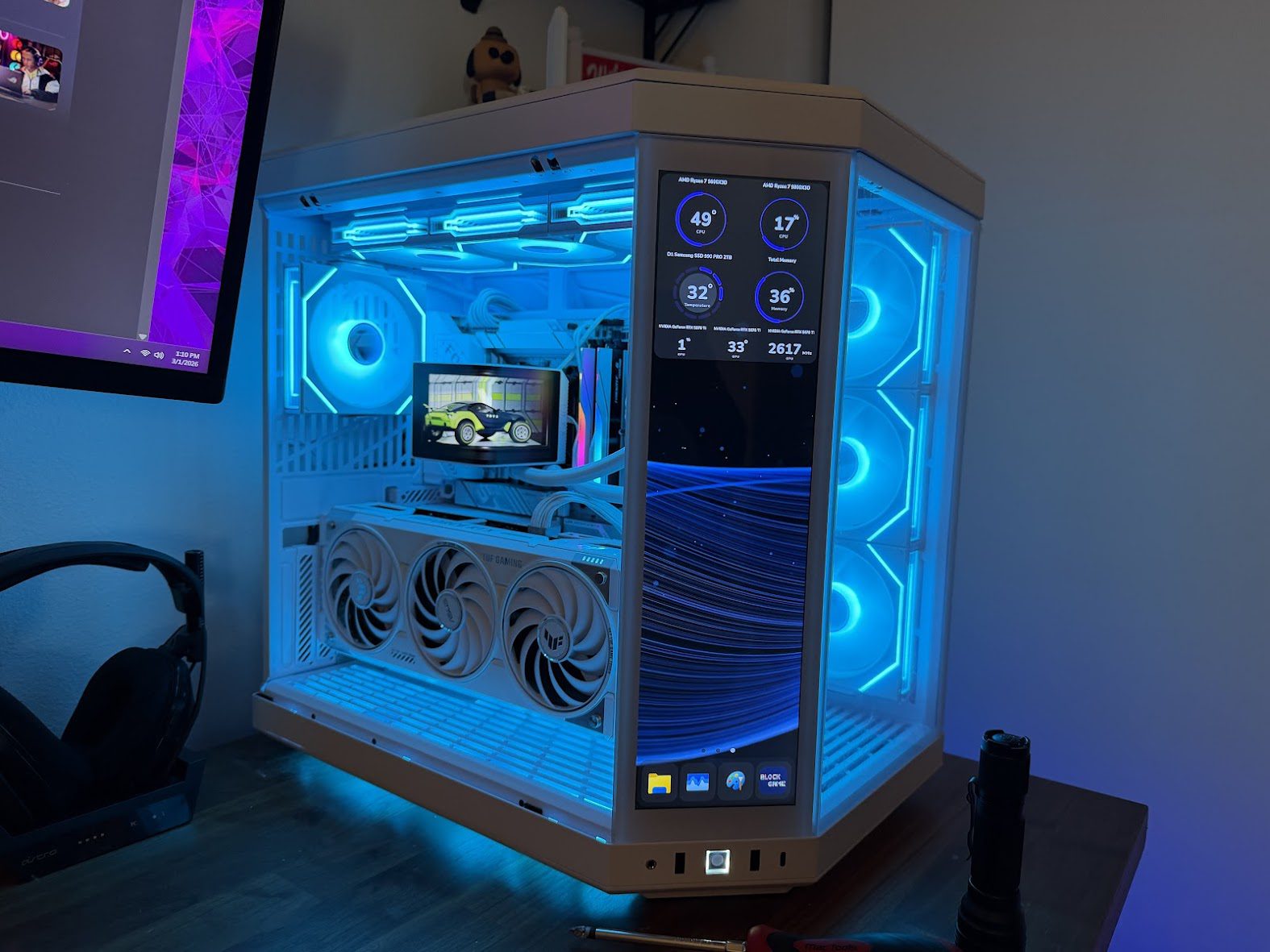
Picking a motherboard for a new AM5 build is one of those decisions that’s easy to overthink. There are a dozen X870 boards on the market at similar price points, and most spec sheets read identically until you actually live with one. I built mine around the ASUS ROG Strix X870-A Gaming WiFi (model ROG STRIX X870-A GAMING WIFI), paired with a Ryzen 7 9800X3D, and after running it as my daily system, here’s the honest breakdown of where it earns its price and where it doesn’t.
⚡ QUICK VERDICT
Excellent choice for: AM5 builds with a high-end CPU like the Ryzen 7 9800X3D
Main strength: Q-Release Slim, solid VRM headroom, clean white aesthetic
Main drawback: Overkill if you’re running a budget chip
Rating: 9/10
First impressions and build quality
The board has a clean, mostly white aesthetic with the ROG branding kept subtle rather than plastered across every surface. If you’re building a light-themed system, this matches well without fighting your other components for visual attention. Heatsinks across the VRM and chipset feel substantial, not the thin stamped metal some budget boards use to look the part without doing much cooling work.
The features that actually matter day to day
A few specifics stood out once I was past the initial install:
Q-Release Slim
GPU removal used to mean wedging a screwdriver next to the PCIe slot to hit a tiny release latch. This board replaces that with a button on the slot edge. Small thing, but it’s the kind of detail you only appreciate the first time you need to swap or reseat a graphics card.
16+2+2 power stage design
This matters more with the Ryzen 7 9800X3D than people expect. The chip runs hot under sustained load, and a board with weak VRM design will throttle or run unstable under pressure. I haven’t seen any instability here, even during extended gaming sessions and benchmark runs.
Four M.2 slots, all heatsink-covered
If you’re running multiple NVMe drives, dedicated heatsinks on every slot means no thermal throttling on secondary drives once they’re under load, which is a common weak spot on cheaper boards that only cool the primary slot. I’m running the Samsung 990 Pro 2TB in the primary slot and the built-in heatsink has kept temps in check across 8 months of daily use.
WiFi 7
Connectivity has been stable with no dropouts, and noticeably faster than the WiFi 6 board it replaced on my home network.
Dynamic OC Switcher and AEMP memory profiles
These take a lot of the guesswork out of getting RAM running at its rated speed without manually testing timings. Paired with the G.Skill Trident Z5 Neo kit I tested, EXPO enabled at 6000MT/s with zero stability issues straight out of the box.
One add-on worth mentioning
If you’re building on AM5, add the Thermalright ASF Black V2 to your parts list before you forget. It’s an inexpensive part that prevents socket bending under cooler mounting pressure. It’s the easiest recommended purchase in any AM5 build and takes five minutes to install.
Where it sits on price
X870 boards in this segment sit in the upper-mid range of the motherboard market. The Strix X870-A has shown up with notable discounts since launch, which puts it well ahead of comparably specced boards from other brands when it’s on sale. Worth checking current pricing before buying rather than assuming list price, since this board moves in and out of promotions fairly often.
Who this board is for
If you’re building a new AM5 system with a higher-end CPU like the Ryzen 7 9800X3D and want a board that won’t be the bottleneck on power delivery or thermal headroom, this is a strong pick. If you’re on a tighter budget and running a lower-power chip, you can likely get away with a cheaper board and not notice the difference, the VRM headroom here is built for sustained high-draw chips, not basic workloads.
Specifications
| Model | ROG STRIX X870-A GAMING WIFI |
| Price | Check current price on Amazon |
| Socket | AMD AM5 |
| Chipset | AMD X870 |
| Form factor | ATX |
| Power stages | 16+2+2 |
| M.2 slots | 4 × M.2 (all with heatsinks, PCIe 5.0 and 4.0) |
| Wi-Fi | Wi-Fi 7 (802.11be) |
| Memory support | DDR5, up to 256GB, EXPO and AEMP profiles |
| Rear USB | USB4 (2×), USB 3.2 Gen 2×2, USB 3.2 Gen 2, USB 3.2 Gen 1, USB 2.0 |
| Warranty | 3 years (ASUS) |
| Tested with | AMD Ryzen 7 9800X3D, G.Skill Trident Z5 Neo DDR5-6000 |
Pros and cons
✅ Pros
- Strong feature set for the price when on sale
- Four M.2 slots, all heatsink-covered
- Q-Release Slim makes GPU removal effortless
- Stable EXPO setup with zero manual tuning
- Clean white aesthetic matches white builds perfectly
- Wi-Fi 7 included
❌ Cons
- Higher price than many builds actually need
- Overkill for lower-power processors
- Limited value at full list price without a discount
The verdict
No instability, no BIOS fights, no compromises I’ve run into after months of daily use. The small quality-of-life features, Q-Release Slim especially, add up to a build experience that feels considered rather than just spec-sheet competitive. For anyone putting together a serious AM5 build, this belongs on the shortlist.
Leave a Reply